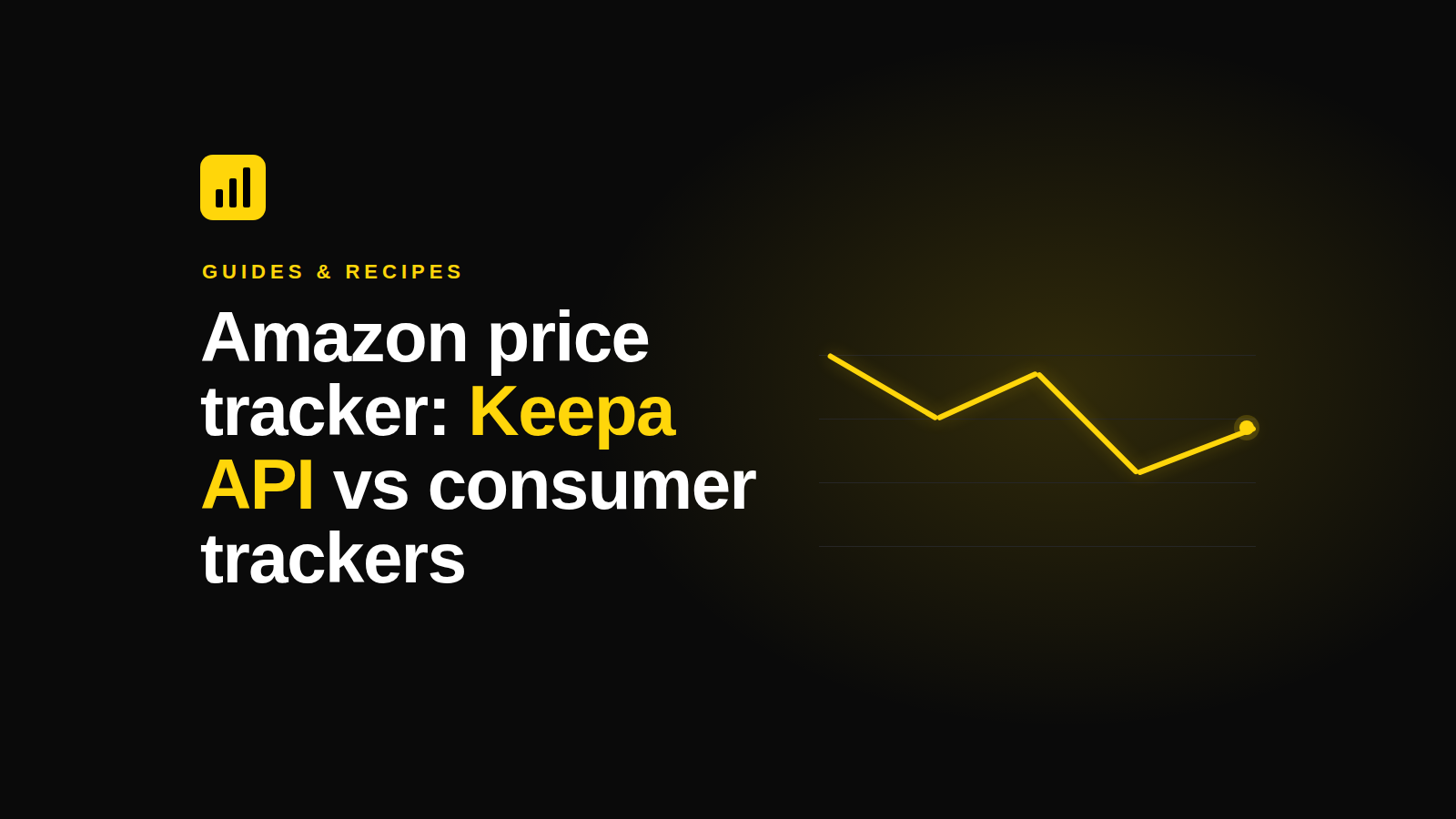
An Amazon price tracker records an item's price over time so you can judge whether a discount is real. Consumer trackers answer one-product questions on a lunch break; developer-grade APIs like Keepa return full historical series — Buy Box seller, offers, sales rank, coupons — for recurring, catalog-wide price reporting.
An Amazon price tracker is a tool or data feed that records an item's price over time, so you can see whether today's discount is real, how often the Buy Box changed hands, and how offers, coupons, and sales rank moved alongside the price. The useful distinction for buyers is not brand versus brand; it is shopper-grade consumer tracker versus developer-grade historical price API. That split determines whether you can answer one product question on a lunch break or run recurring price-history reporting across a catalog.
What Historical Amazon Price Tracker Data Includes—and Why It Matters
The core dataset behind an amazon price tracker is a time series, not a single snapshot. A useful history includes the listed price over time, the Buy Box price and seller, competing New and Used offers, offer counts, sales rank, restock or out-of-stock events, coupons and promotions, and the timing of price-drop alerts. Each field answers a different question. Price history alone tells you what changed. Buy Box and offer history tell you who was winning the sale. Sales rank and offer counts tell you whether demand or supply moved at the same time. Coupons and Lightning Deal context tell you whether a low price was a real shelf price or a temporary promotion.
Sellers, brands, and analysts use this data for three jobs. Deal validation asks whether a discount is genuine relative to the product's own history. Repricing involves tracking seller price movements and asks how a listing should respond to Buy Box changes and competing offers. Demand research asks whether price cuts coincided with rank improvements or merely with more inventory. In each case, the value comes from context: a low price without offer count, rank, and promotion context is a headline, not a conclusion.
The delivery model changes what you can do with the data. Consumer trackers present charts and alerts inside an app, extension, or website. They are built for a person looking at a product page. APIs return structured historical time-series data for bulk analysis, reporting, and automation. They are built for a system that needs to join price history to a spreadsheet, a dashboard, or a repricing workflow. One-off product checks favor free consumer tools. Catalog-scale monitoring and recurring reporting favor API access with clear token, quota, coverage, and compliance terms.
Keepa API: Developer-Grade Access to Amazon Price History
Keepa is the reference point for many teams because it exposes Amazon price history as data rather than as a chart. The query model for how to query Keepa price history with the API is straightforward in outline: authenticate with an API key, specify the Amazon domain or locale, send the ASINs you want, and enable history parameters so the response includes time-series fields. You then parse arrays for Amazon, New, Used, Buy Box, sales rank, and offer counts instead of reading a pre-rendered chart.
Two normalization details matter before you chart or join the data. Keepa returns history on its own minute-based time offset, and prices are typically expressed in the marketplace's smallest currency unit. Convert timestamps to calendar dates and prices to major currency units before comparing rows or loading them into a BI tool. This is also where product matching errors surface: the same ASIN on different Amazon domains is not the same listing context, and a price series without the correct domain label can look cleaner than it is.
Keepa's strengths fit data teams, repricing tools, and Google Sheets or BI pipelines. Historical coverage is deep relative to consumer chart tools, multi-marketplace support is built into the query model, alerts can be programmed rather than clicked, and bulk lookups make catalog work feasible. The constraints are equally real. Keepa API is token-based, so costs scale with lookups and history depth. Rate limits apply. The learning curve is steeper than a browser extension because you are working with arrays, units, and domain mapping. And the scope is Amazon-only: cross-platform questions about TikTok Shop, Instagram, or YouTube need real-time price monitoring APIs as a separate data source.
Keepa's historical depth in years is and should be checked directly with Keepa before you commit to a long-range research design. Do not assume a depth figure from a comparison article or a forum post; verify it against the marketplace and data type you actually need.
Consumer Amazon Price Trackers: CamelCamelCamel, Keepa Apps, and Browser Extensions
Consumer trackers do a narrow job well. CamelCamelCamel and similar free tools provide price history charts, price-drop and restock alerts, barcode scanning, and browser extension overlays. Keepa's consumer apps and extensions add on-page history and alert workflows. Amazon itself has no built-in historical price tracker, so these tools fill a real gap for manual checks. If you want to know whether a listing's current discount is unusual, a free chart is often enough to start the conversation.
The limits appear when the work becomes B2B. Bulk export and automation are limited or absent. Workflows are UI-first, which is fine for one product and painful for a list. Regional and marketplace coverage can be uneven, and accuracy depends on refresh cadence and product matching. A chart that refreshes on a slow cadence can miss short promotions; a product match that attaches the wrong variation can make a price history look more dramatic than it was. These are not reasons to dismiss consumer trackers. They are reasons to map them to the right use case.
Use CamelCamelCamel and similar free tools for spot checks and for validating whether a discount is real. Use Keepa's consumer apps and extensions when you want history directly on the product page. Neither replaces an API for catalog-scale reporting, scheduled alerts across a portfolio, or joins to internal sales and advertising data.
Keepa API vs Consumer Trackers: Evaluation Criteria and Trade-Offs
The comparison is easier when you separate the questions. Best free amazon price tracker is a shopper question about charts, alerts, and convenience. Best Amazon price history API is a builder question about coverage, structured export, automation, and terms. A tool can be excellent at the first and irrelevant to the second.
Criterion | Consumer trackers | Keepa API |
|---|---|---|
Access method | App, website, or browser extension | API key, structured requests, CSV or JSON responses |
Historical depth | Chart-oriented; depth varies by tool and marketplace | Deep time-series history; exact depth |
Refresh frequency | Depends on the tool's crawl cadence and display | Depends on query design, token budget, and rate limits |
Marketplace coverage | Often strong in major locales, uneven elsewhere | Multi-marketplace through domain parameters |
Alerting | UI-based price-drop and restock alerts | Programmable alerts inside your own system |
Export and automation | Limited; manual copy-paste is common | Bulk lookups and pipeline-friendly output |
Cost model | Free or low-cost, often ad-supported | Token-based; costs scale with usage |
Terms of use | Consumer terms; check limits on automated use | API terms; confirm quota, storage, and display rights |
Cost and scale deserve a separate look, including comparing Canopy's per-request pricing against token-based access. Consumer trackers are cheap in money and expensive in time when you need repeatable reporting. Keepa API is paid via tokens and becomes cost-efficient only when lookups are automated, scheduled, or aggregated across a catalog. If you query the same ASIN manually every morning, a free chart wins. If you refresh a set of ASINs on a schedule, normalize the output, and route exceptions to a repricing or merchandising workflow, the API is the more honest comparison.
Accuracy and trust require more than a headline discount. To validate sale authenticity, compare the current price with the product's historical median and range, then check Buy Box, coupon, and Lightning Deal context. Confirm the correct locale and marketplace before you interpret the number. A price that looks low in one domain may be ordinary in another. A temporary coupon can make a chart dip without changing the shelf price. The goal is not to prove that a discount exists; it is to prove what kind of discount it is.
How to Query Keepa Price History and Import It Into Google Sheets
The API-to-Sheets workflow is a good pilot because it exposes every practical issue before you scale. Start by obtaining a Keepa API key. Select the correct Amazon domain for the marketplace you are researching. Request product data with the ASIN list and history enabled, then normalize the CSV or JSON time-series fields into date-price rows. Keep the raw response alongside the normalized table to support storing and visualizing price history later.
To import Keepa data into Google Sheets, use a scheduled Apps Script or a connector that calls the API, flattens arrays into columns, and refreshes on a set cadence. The script should read ASINs and domain mappings from a control tab, call the endpoint with history enabled, parse the response, convert Keepa timestamps and price units, and append rows with a run timestamp. Avoid manual copy-paste for ongoing tracking. It breaks the refresh cadence, hides token spend, and makes historical comparisons depend on whoever last edited the sheet.
Add guardrails before the sheet becomes a source of truth. Cache results so repeated views do not trigger repeated API calls. Monitor token spend against your budget. Document ASIN and domain mappings, including variation relationships. Keep raw snapshots on a schedule so a later normalization change does not rewrite the past. Respect API quotas and terms; a scheduled refresh that ignores rate limits is not automation, it is a future outage.
Choosing the Right Amazon Price Tracker—and Where SignalCart Fits
The decision guide is use-case driven. Use a free consumer tracker for ad hoc shopper checks and for a quick read on whether a discount is unusual. Use Keepa API for bulk historical Amazon data, repricing research, and scheduled reporting where the output must be structured. Use a cross-platform data layer when Amazon signals must sit alongside TikTok Shop, Instagram, and YouTube metrics.
That last case is where SignalCart fits. SignalCart provides an Amazon API within a multi-platform e-commerce and social media data offering covering Amazon, TikTok Shop, Instagram, and YouTube. SignalCart Trends and the SignalCart API support Amazon product research plus social commerce metrics such as creator GMV, trending products, and TikTok Shop analytics. The audience is sellers and brands, TikTok Shop sellers and creators, developers and data tools, and marketers and agencies who need broader context than Amazon-only price history. SignalCart's API uses public data only, which matters for compliance when you are collecting and storing price and product signals.
Be precise about the role. If your core question is what happened to one ASIN's price and Buy Box over months, Keepa is the specialist and should remain in the stack. If your question is where demand is moving across Amazon and social commerce, and you need a public-data API that covers Amazon, TikTok Shop, Instagram, and YouTube, SignalCart is built for that broader frame. The two can coexist: Keepa for Amazon price-history depth, SignalCart for cross-platform product and creator intelligence.
A sensible next step is a small pilot. Define the ASIN set and refresh cadence. Run one Keepa API workflow and one consumer-tracker workflow against the same products. Compare total cost, coverage, data granularity, and workflow fit before committing. Include the cost of manual review, the risk of missed marketplace context, and the value of having Amazon price signals in the same reporting layer as social commerce trends. That comparison will tell you more than any generic best-tool list.
FAQ
How do I query Keepa price history with the API?
Call the /product endpoint with a domain ID and ASIN, and request the history or stats parameter for the series you need. Each series comes back as paired values (Keepa minute timestamp plus value), which you decode into price, Buy Box, offer count, and sales rank timelines.
How do I import Keepa data into Google Sheets?
Use a Keepa API add-on or an Apps Script function with UrlFetchApp to hit the product endpoint, then parse the csv arrays into columns. Sheets cannot decode Keepa's compressed time values natively, so the parsing step is required.
Do consumer trackers give the same data as the Keepa API?
No. Consumer trackers chart a single ASIN's price history, while the API exposes the raw series behind those charts — Buy Box seller, competing offers, offer counts, and sales rank — and supports bulk catalog queries.
Is the Keepa API free to use?
No, it is token-based and paid. Each product request consumes tokens depending on how much data you ask for, so catalog-scale history pulls need a token budget.
How far back does Keepa price history go?
Coverage typically starts when Keepa began tracking the ASIN, often several years, and varies by marketplace and product. Daily granularity is standard, with finer detail available for recent drops.

by Nadia Torres, Social Commerce & Trend Research Analyst
Nadia Torres covers social commerce and cross-platform trend research, from rising TikTok Shop products to breakout Reels, YouTube Shorts sounds, and creator discovery. She explains how to compare growth across platforms, validate an early signal against marketplace data, and avoid treating every viral post as durable demand. Her articles turn public product and creator data into clear research workflows for sellers and marketers.